The Apple Developer Program is the official gateway for building and publishing applications on the App Store. Through this program, developers can distribute their apps globally for an annual fee of $99 USD.
In this article, you’ll learn how to create an Apple Developer account as an individual.
🔔 Important note: The Salla App Maker requires an Apple Developer account of type Organization.
Individual accounts are not accepted for using the App Builder service.
📌 Article overview
- Apple Developer membership types
- Requirements for creating an Individual Apple Developer account
- Step-by-step guide to creating an Apple Developer account
Apple Developer membership types
- Individual Apple Developer Program
This membership allows individuals to publish apps on the App Store under their personal name.
- No legally registered business entity
- No D-U-N-S Number from Dun & Bradstreet
- Only one primary login for the iOS Developer account
- Apps appear under the individual’s name on the App Store
- Company/Organization Apple Developer Program
Designed for legally registered businesses.
- Supports multiple users with different roles and permissions
- Apps appear under the company name, increasing trust and credibility
- Requires a D-U-N-S Number
- Suitable for teams and commercial applications
- Educational & Non-Profit Organizations
Available for qualifying institutions, sometimes at reduced cost or free.
- Apps appear under the institution’s name
- Subject to Apple eligibility requirements
Requirements for an individual Apple Developer account
To register as an individual, you need:
- A valid Apple ID
- A VISA or MasterCard credit card
- The annual $99 USD membership fee
Steps to create an Apple Developer account (Individual)
You can complete these steps via desktop browser or the Apple Developer mobile app.
👉 Learn how to create an Apple Developer account via the mobile app
- Visit the Apple Developer website
Go to the official Apple Developer Program website and click Account.

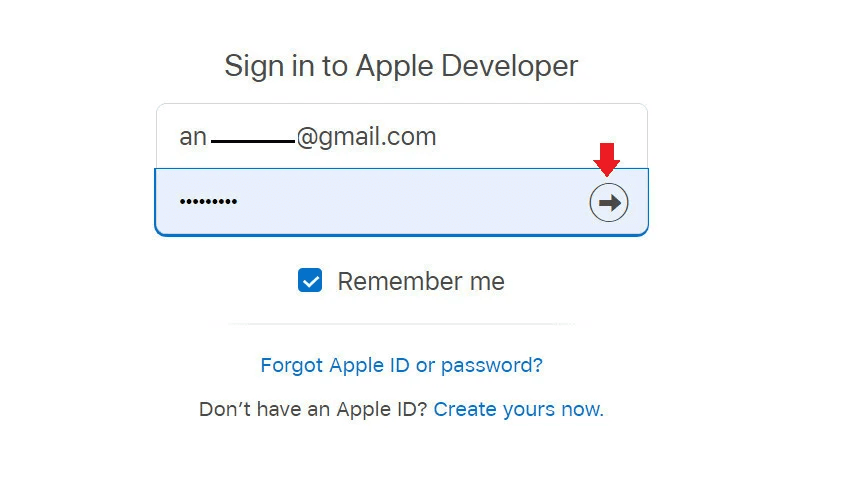
- Sign in with your Apple ID
Log in using your active Apple ID.
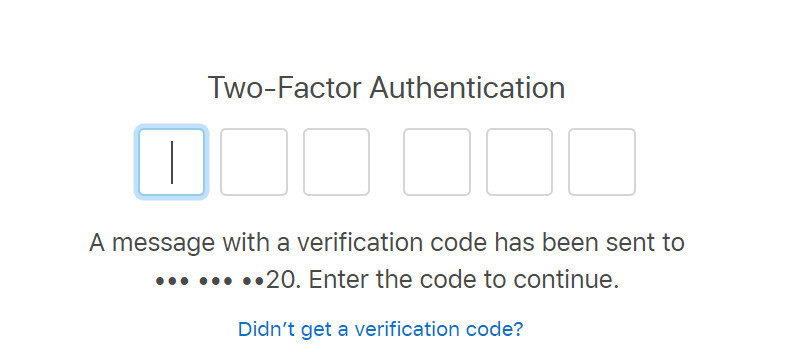
You’ll receive a verification code on the phone number linked to your Apple ID — enter it to continue.
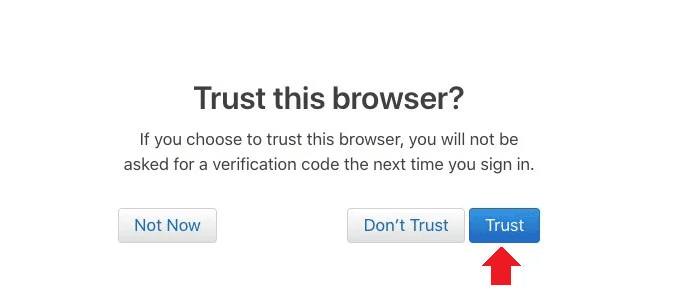
- Trust the browser
When prompted, click Trust to proceed.
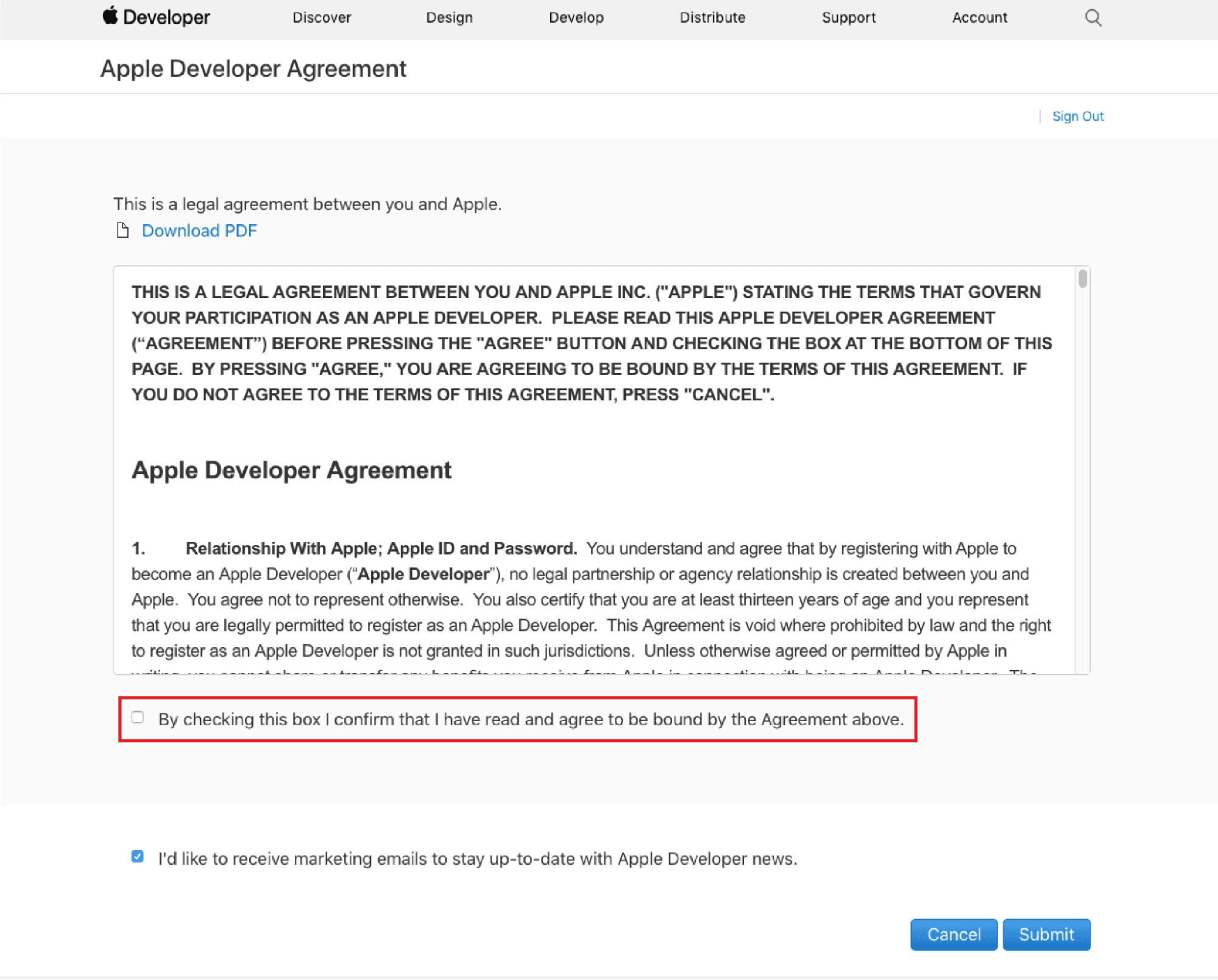
- Review and accept the Apple Developer Agreement
Confirm that you’ve read the agreement, then click Submit.
- Join the Apple Developer Program
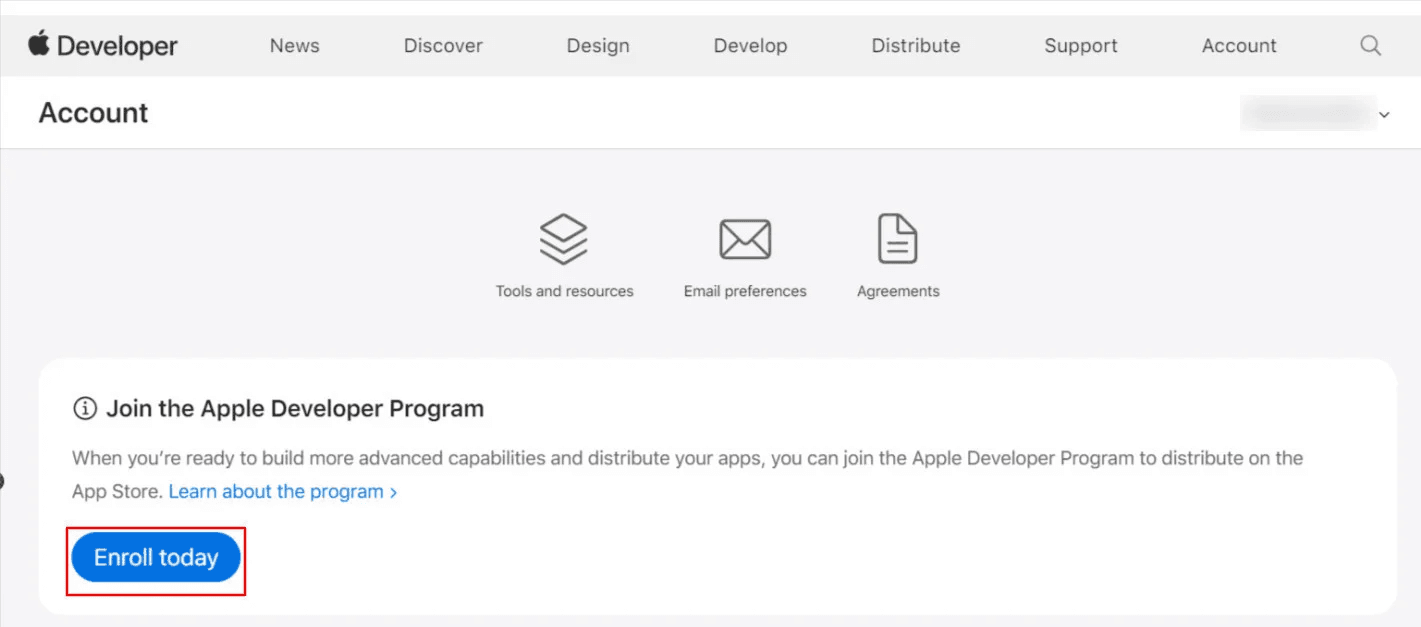
From your developer dashboard, click Enroll Today.
- Enter your personal information
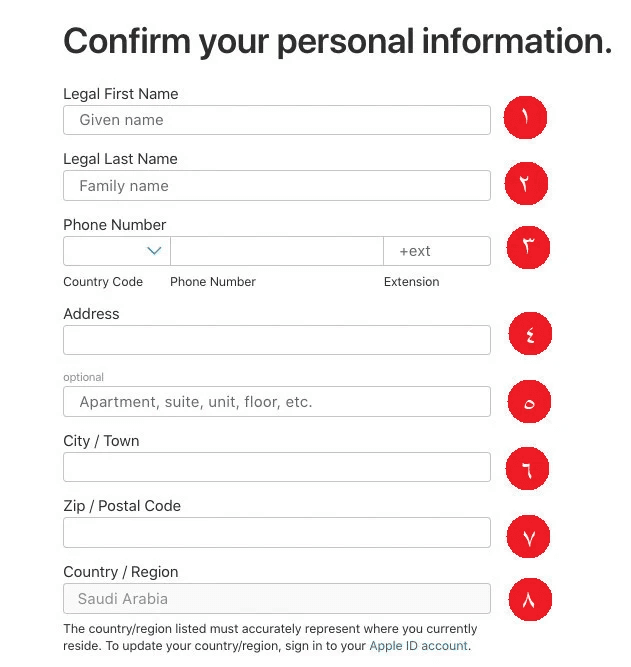
Fill in your details accurately, then click Continue:
- First name (must match official ID)
- Last name (must match official ID)
- Country calling code and phone number
- Personal address (apartment, unit, floor, etc.)
- City
- Postal code
- Country (usually auto-filled based on Apple ID settings)
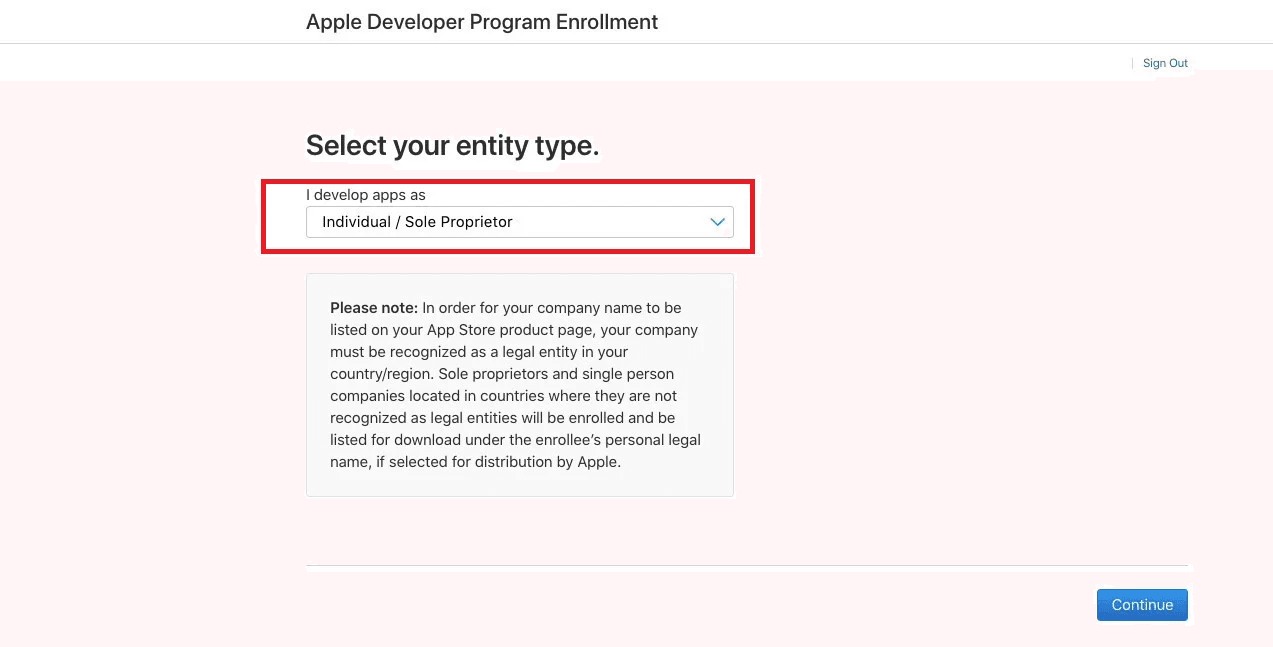
7. Select the account type
Choose Individual/Sole Proprietor, then click Continue.
- Proceed to payment
You’ll be redirected to the payment page. Click Purchase to complete your enrollment.
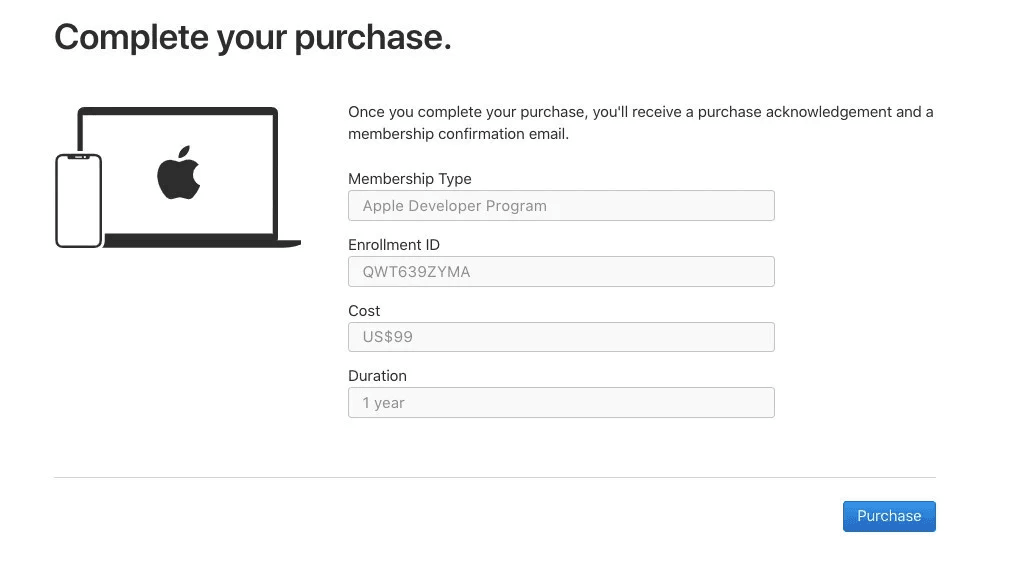
👉 For full details, see: Creating an Apple Developer Account – Payment stage
Frequently asked questions
How long does it take to activate an Individual account?
In most cases, activation happens immediately in the same session.
In some cases, it may take up to one week, depending on payment status or Apple verification.
If payment is successful, the account is usually activated right away.
If activation is delayed, Apple may request:
- Identity verification
- Additional confirmation via email
👉 Learn how to contact Apple Support via email
👉 Learn how to contact Apple Support via phone
Can Apple contact me during the review process?
Yes. Apple may:
- Call you to verify your details
- Email you requesting identity confirmation
Be sure to monitor your email closely. If language is a concern, prepare a translator in advance.
What is the cost of an Individual Apple Developer account?
$99 USD per year (approximately SAR/AED 400), billed annually by Apple.
What happens when the membership expires?
You’ll lose access to all developer features, and your apps may be temporarily removed from the App Store until renewal.
How can I confirm that my registration is complete?
Log in to the Apple Developer dashboard.
If developer management options are visible, your membership is active.
If not, the account has not been fully activated yet.